Natural Grocers
- 3.5
- Rating
- 100.00K
- Installs
- Free
- Price

 Analysis by App-foxy
Natural Grocers is a free shopping app from Vitamin Cottage Natural Food Markets, Inc., built for people who already shop at Natural Grocers or want a simpler way to keep the store in their weekly routine. I tried it with a practical question in mind: can it make an ordinary grocery trip less scattered, or is it just another store app taking space on a phone? My answer is fairly positive, with one important condition: its value depends heavily on whether Natural Grocers is already part of your local shopping pattern.
The app is available for Android and iOS, and its age rating is Everyone. It reached stores on August 8, 2023, and the current version is 3.5.3, with support beginning at Android 8.0. That makes it accessible on many older Android phones rather than limiting it to recent hardware. Its average rating sits at 3.5 from around 300 ratings, alongside more than 180 written reviews, so the public reaction looks mixed rather than universally enthusiastic. I would read that as a reason to test it against your own shopping habits instead of assuming it will replace every grocery tool you use.
How I used it for a normal Natural Grocers trip
My baseline workflow was deliberately simple. I opened the app before shopping, checked what information was useful for that particular visit, and kept it available while moving through the store. That sounds basic, but it is the right way to approach a retailer-specific app. I would not install it expecting a broad supermarket marketplace, a general recipe platform, or a universal price-comparison service. Its natural role is to support a Natural Grocers visit.
You May Also Like

 Pandora - Music & Podcasts
Pandora’s Music Is Easy to Start, but Harder to Recover
Pandora’s strength is its low-effort path from a seed to a station. Its weak spot is how much confidence it asks you to place in connection, setup, and quiet recovery.

 AccuWeather: Weather Radar
AccuWeather Review: A Quick, Clear Forecast for Everyday Decisions
For everyday plans, the best forecast is the one you can understand quickly. AccuWeather makes rain timing, radar, and local conditions easy to act on, with a few trade-offs.

 Hill Climb Racing
Why Hill Climb Racing Still Turns Crashes Into One More Run
A tiny car, a bumpy hill and one more upgrade: Hill Climb Racing keeps resurfacing because its simple chaos makes every near-miss feel personal.

 AliExpress - Shopping App
AliExpress Makes Global Shopping Feel Personal, but Shoppers Bear the Risk
AliExpress turns a global marketplace into a pocket-sized discovery engine. Its reach is useful, its shopping loop compelling, and its trade-offs easy to miss.

 Lords Mobile: Kingdom Wars
Lords Mobile Is a Kingdom-Building Routine, Not a Quick Match
A case-by-case verdict on the building, battles, device demands, and social commitments that make Lords Mobile rewarding for some players and exhausting for others.

 PDF Scanner app - TapScanner
TapScanner Makes Paperwork Easier to Capture, Check, and Share
TapScanner makes scanning with a phone feel less like a rescue operation and more like a dependable step in getting work done. Its capture tools are useful, though not flawless.
More From Our News Desk
View All News


The first useful habit is opening it before leaving home rather than waiting until I am standing in an aisle. At home, I can decide whether I need the app for planning, browsing, or simply confirming what I want to look for. That small separation matters. A phone screen is easier to manage at a kitchen table than with one hand occupied by a basket and the other trying to remember a shopping list.
For a regular trip, I would make a short list outside the app if I already have a preferred notes tool, then use Natural Grocers as the store-specific companion. This avoids forcing every planning task into one place. The app is most useful when it reduces the distance between “I need this” and “I am checking it at Natural Grocers,” not when it becomes a complete personal organization system.
A realistic example is a midweek restock. I might need breakfast items, a few pantry staples, and something suitable for a family member with particular food preferences. Before leaving, I would review the app for the store-related information I need, keep my personal list visible, and use the retailer app only when its context is more helpful than a generic note. This two-tool approach may sound less elegant, but it is often faster than trying to make a shopping app handle reminders, meal planning, and household inventory all at once.
The app’s strongest audience is therefore quite specific: existing Natural Grocers customers, people comparing nearby shopping options, and households that want a direct digital connection to this retailer. It is less compelling for someone who shops across many supermarket chains and wants one app to combine every list, loyalty program, delivery order, and price check. In that situation, a general grocery-list app or the apps from several preferred stores may remain more practical.
What to check before you depend on it
I recommend spending a few minutes exploring the app when you are not in a hurry. Retail apps often place their most useful information behind navigation choices that are easy to overlook during a rushed visit. The point is not to memorize every screen. It is to learn where the app keeps the parts you personally use, then return to those areas consistently.
One setting-related habit is to review the app’s location and store context before planning a trip. If you shop at more than one Natural Grocers location, choosing the correct store whenever the app asks for that context can prevent a surprisingly common mistake: preparing around information that is relevant to a different branch. I would not assume that a nearby store is automatically the one I intend to visit. A quick check before shopping is worthwhile.
I would also review notification choices instead of accepting every prompt automatically. Shopping notifications can be useful when they match a real routine, but they become background noise when they arrive at the wrong time or cover topics I do not care about. My preference is to keep only alerts that support a decision I am likely to make, such as planning a visit or checking something I actively follow. If an alert does not change what I do, it probably does not deserve attention.
Another practical check is account handling. If the app offers a sign-in or profile route during your use, decide whether you need it for your own workflow rather than registering reflexively. A shopper who wants a quick store reference may prefer a lighter setup, while someone who uses retailer-specific benefits may accept the extra step. The right choice depends on how often you shop there and how much personalization you expect from the app.
Because the app is free, the main cost is not purchase money but attention, storage, and the time spent maintaining another shopping channel. That makes a short trial sensible. Use it for one or two real trips and notice whether it removes a recurring annoyance. If you still reach for a browser, a notes app, or a paper list for everything important, the installation may not be earning its place.
Small shortcuts that make repeat visits easier
The best shortcut I found is behavioral rather than hidden: use the same sequence before every trip. I would open the app, confirm the relevant store context, review the information I actually need, and then switch to my shopping list. Repeating that order reduces decision-making. It also makes it easier to notice when the app has changed or when a familiar section is no longer where I expect it.
Another useful pattern is separating discovery from execution. At home, I can browse calmly and decide what belongs on the list. In the store, I want fewer taps and less reading. Treating those as two different sessions makes the app feel more responsive, even though the application itself has not changed. It is a good example of how experienced users get more from a retailer app without relying on undocumented tricks.
I would also keep the app accessible but avoid opening it for every item. If I already know what I need, repeatedly checking the phone can slow me down. Instead, I would use the retailer app for store-specific confirmation and my list for the sequence of items. This is particularly helpful when shopping with children, managing a short lunch break, or trying to finish before a crowded period.
For repeat shoppers, a weekly reset can help. Before the next trip, clear out old notes in the companion list, check whether the chosen store is still correct, and decide whether the app is needed for this visit. That prevents a common failure mode in shopping apps: carrying forward stale intentions until the screen is full of items that no longer matter.
There is also a useful trade-off between browsing and speed. If I am exploring unfamiliar products, the app can be part of a slower research session. If I am buying the same staples, it should stay in the background. Expecting one interface to be equally good at both jobs leads to frustration. I would use it as a reference when curiosity is the goal and as a quick checkpoint when efficiency matters.
Where the app fits beside ordinary alternatives
Compared with a paper list, Natural Grocers is more convenient when I need store-specific context, but paper still wins for immediate visibility and zero battery dependence. Compared with a generic notes app, the Natural Grocers app is more relevant to this retailer, while a notes app is usually better for combining groceries with errands, household reminders, and meal plans.
A browser can be a reasonable alternative for occasional shoppers. If I visit Natural Grocers only once in a while, installing a dedicated app may feel unnecessary. A browser also keeps the information separate from the phone’s installed applications. The app becomes more worthwhile when I return often enough that opening it is faster than searching for the same retailer information repeatedly.
Multi-store grocery applications have a different advantage. They can keep one list for several supermarkets, which is helpful for households that divide shopping between stores. Natural Grocers is not the obvious replacement for that setup. Its usefulness comes from being focused on one retailer, so I would pair it with a general list rather than expecting it to organize every grocery trip.
This distinction also affects who should skip it. If you do not shop at Natural Grocers, live far from one, or mainly need delivery coordination across different retailers, the app is unlikely to become a daily tool. If you want a universal barcode scanner, nutrition tracker, or meal-planning workspace, you should choose an app designed around those jobs instead.
Limits I noticed during more demanding use
The biggest limitation is focus. A retailer-specific shopping app can be useful without being a complete household grocery system. I would not build an elaborate inventory process around it unless the screens and habits genuinely support that process for me. The more I ask it to do beyond the Natural Grocers visit, the more likely I am to return to tools that were created for lists, reminders, or cross-store planning.
There is also the ordinary friction of using a phone while shopping. Screens can be awkward to read under bright store lighting, connectivity can vary, and constant switching between apps interrupts the physical rhythm of collecting items. None of that makes the app unusable, but it means the best workflow is prepared rather than improvised. I would load what I need before entering the store and avoid making the app the only place where important information exists.
The public rating of 3.5 suggests that the experience will not satisfy everyone equally. I would not treat that figure as a verdict on every device or every shopping situation, but it does support a cautious approach. Install it because it solves a specific Natural Grocers problem, not because every retailer app automatically improves grocery shopping.
Version 3.5.3 indicates that the app is actively presented in a current form, but a version number alone does not guarantee that every workflow will feel polished on every phone. My advice is to test the actions you care about most: finding the right store context, reaching the information you use, and returning to it quickly. If those steps are smooth on your device, the rest of the experience matters less.
Privacy and permissions are worth considering in the same practical way. I would read each request when it appears and allow only what makes sense for my chosen workflow. A shopper who wants occasional reference access may prefer fewer enabled services, while someone seeking a more personalized store experience may accept more. The important point is to make that decision consciously instead of treating every prompt as mandatory.
Who gets the most value from it
I think Natural Grocers works best for a regular customer who already has a predictable shopping rhythm. That person can turn the app into a repeatable checkpoint: prepare at home, confirm the relevant store information, shop with a separate concise list, and review anything useful after the visit. The benefit grows through repetition because the user learns which parts matter and ignores the rest.
It can also help someone deciding whether Natural Grocers belongs in a local shopping rotation. In that case, the app is useful as a direct way to explore the retailer before committing to a new routine. I would still judge the store itself on location, product needs, and personal budget rather than expecting the application to answer every shopping question.
Families may appreciate having retailer information available while dividing errands, but I would avoid assuming that the app alone will coordinate a shared household. A shared notes tool can remain better for assigning items, recording quantities, and adding non-grocery tasks. The most reliable arrangement is often a clear household list plus this app for the retailer-specific part.
People who shop infrequently should be more selective. Since it is free, trying it costs little beyond setup, but unused apps create clutter and notification fatigue. If a browser bookmark or a familiar list already handles your occasional visits, there is no strong reason to change simply for the sake of having an app.
My most useful recommendation is to treat it as a focused store companion, not as your entire grocery system. That mindset prevents overexpectation and makes its practical strengths easier to notice.
My verdict after building a repeatable routine
After using Natural Grocers with a structured routine, I see it as a sensible companion for the retailer’s regular customers rather than a must-have shopping platform for everyone. It is free, rated for Everyone, and comes from Vitamin Cottage Natural Food Markets, Inc., so its purpose is clear: keep the Natural Grocers relationship close at hand on Android and iOS.
The app’s strongest quality is its focus. I can use it before a trip, confirm the store-related details that matter to me, and keep my actual shopping list simple. Its weakest quality is the same focus: shoppers who need one tool for several stores, household planning, delivery management, or detailed food tracking may find a general alternative more capable.
With more than one hundred thousand installs, it has found a meaningful audience, although the moderate public rating tells me to keep expectations realistic. I would install it if Natural Grocers is already one of my regular stops and I want a direct, repeatable digital workflow. I would skip it if my shopping is mostly cross-store, occasional, or organized successfully through a general list.
In short, I recommend giving it a practical trial rather than a ceremonial download. Use it for a real trip, check the settings that affect your routine, build the same preparation sequence each time, and keep a backup list for the information the app does not need to own. If that process saves you time or makes Natural Grocers easier to navigate, it has earned a permanent place on your phone. If it adds another layer without reducing effort, your existing notes app or browser is probably the better choice.
FAQs for Natural Grocers
01What is the Natural Grocers app used for?
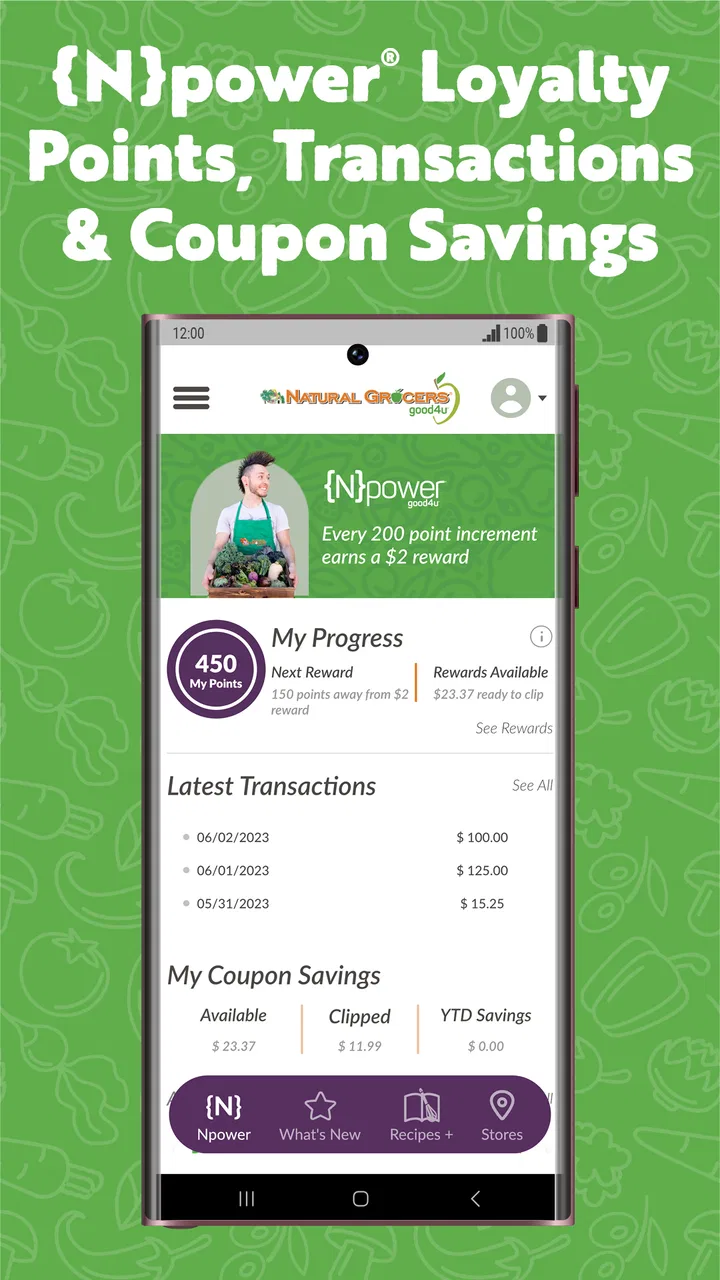
The Natural Grocers app is designed to help shoppers explore products, find nearby stores, check current promotions, and plan visits more conveniently. It may also provide access to digital coupons, product information, recipes, and updates about store services. The exact features can vary by location and app version, so availability should be checked after installation.
02Can I use the Natural Grocers app to find a nearby store?
Yes, one of the most useful features is the store locator. You can typically search by city, ZIP code, or your device’s location to view nearby Natural Grocers stores. Store pages may include addresses, opening hours, contact details, and available services. It is still a good idea to confirm holiday hours before making a special trip.
03Does Natural Grocers offer digital coupons or special deals through the app?
The app may provide access to promotions, digital coupons, member benefits, or other savings opportunities connected with Natural Grocers. Offers can change regularly and may have conditions such as expiration dates, product restrictions, or participating-store limitations. Before relying on a discount, review the offer details carefully and make sure it is available in your region.
04Does the Natural Grocers app support online grocery ordering or delivery?
The availability of online ordering, pickup, or delivery depends on the services offered by Natural Grocers in your area and the current version of the app. Some locations may primarily use the app for store information, promotions, recipes, and shopping guidance rather than complete grocery purchases. Check your selected store to see which ordering options, if any, are supported.
05Is the Natural Grocers app free and what permissions does it require?
The Natural Grocers app is generally free to download, although normal mobile data charges may apply when using it away from Wi-Fi. It may request permissions such as location access for finding nearby stores, notifications for promotions or updates, and internet access for loading content. You can review and change these permissions in your Android or iOS settings after installation.
Pros
- Easy access to organic and natural grocery products
- Store locator helps find nearby Natural Grocers locations
- Useful information about product ingredients and sourcing
- Offers vitamins
- supplements
- and wellness products in one place
- Regular deals can help reduce the cost of healthier products
Cons
- Availability depends heavily on location and store inventory
- Prices may be higher than conventional grocery stores
- The app experience may feel limited outside store-related features
- Some products can only be purchased in participating stores
- Customer support and delivery options may vary by region

Natural Grocers
Gallery